
You have decided your podcast is video-first. Good call – it is where the audience is going. Now you want to know where the show actually lives once you stop recording.
Most “best podcast hosting” articles will hand you a list of ten platforms you have never heard of. We run video shows for a living, so here is the honest version: in 2026, video podcasting happens in three places, and you probably do not need anything else.
A video podcast lives on YouTube, Spotify, and Apple Podcasts. You upload to each directly, and together they cover where nearly everyone watches. A separate RSS host is optional – it only matters if you want to reach every niche audio app, keep one unified analytics view, or own a portable feed. For most new video shows, the big three are the whole answer.
Why video-first is the right call in 2026
The market moved fast. As of spring 2026, video podcasts already accounted for more than 40% of all podcast consumption, and 64% of new podcast listeners say they would rather watch than just listen.
That is a structural advantage, not a fad. A video-first show gets discovered in places an audio-only feed never reaches.
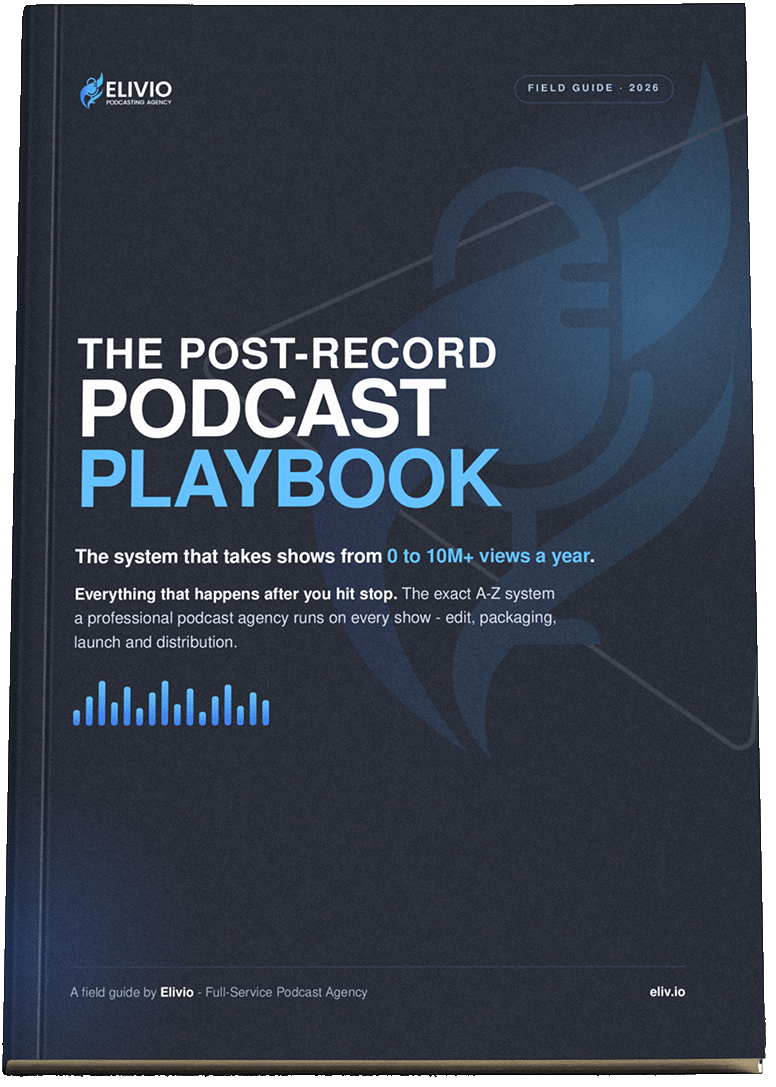
The flip side: video is heavier to produce and distribute. Getting one recording onto YouTube, Spotify, Apple, and a dozen clip formats cleanly, every week, is where most new shows quietly stall. That work after the record button is exactly what our free Post-Record Podcast Playbook covers.
The three platforms that actually matter
Ask any video podcaster where their show lives and you will hear the same three names. Here is what each one is for.
YouTube – your discovery engine
YouTube is the dominant place people discover and watch podcasts in 2026, full stop. It offers free unlimited hosting, ad monetization, memberships, and live streaming, and it now supports podcast RSS feeds directly.
For nearly every video show we run, YouTube is the front door. Search, thumbnails, and clips do the heavy lifting of getting a stranger to press play – work your audio apps will almost never do for you.
If you take one thing from this article: build for YouTube from episode one. Packaging a show for it – the title, the thumbnail, the search description – is a craft of its own, and it is where a lot of otherwise strong shows leave all their growth on the table.
Spotify – the in-app video destination
Spotify has pushed hard to become a serious video destination. Through Spotify for Creators it offers free video hosting plus premium revenue tools for eligible creators via the Spotify Partner Program.
You upload directly, at no cost. For a video-first show, Spotify is where a large slice of your committed audience will actually watch inside the app – not just an audio fallback anymore.
Apple Podcasts – now a real video player too
This is the newest shift. Apple launched video podcasts in spring 2026 using HLS video technology, taking direct aim at YouTube and Spotify.
Apple’s audience is huge and historically underserved on video, so getting your show there now is worth the small setup. And there is a bonus: Spotify has adopted Apple’s HLS standard, so the same video is far easier to run across both than it was even a year ago.
Do you even need a separate podcast host?
Here is the part most guides will not tell you honestly: for a video-first show, you often do not.
The Buzzsprouts, Captivates, Transistors, and Libsyns of the world exist because audio podcasting needed one RSS feed to fan out to dozens of listening apps – Overcast, Pocket Casts, Amazon Music, iHeartRadio, and the long tail. For video, that long tail barely moves the needle. YouTube, Spotify, and Apple are where the watching happens.
So skip the extra host unless one of these is true for you:
- You want to be on every audio app too. If you also care about the smaller listening apps, one RSS host distributes there automatically instead of you submitting to each.
- You want one analytics dashboard. A host gives you unified download numbers across apps, rather than checking three or four platforms separately.
- You want to own a portable feed. Your own RSS feed means you are not fully locked into any single platform and can move without losing subscribers.
If any of those matter, Buzzsprout is the simplest on-ramp (video on its upper tier), Captivate is the most growth-focused, and Transistor is best if you run multiple shows. If none of them matter – and for most new video podcasters they do not – the big three are the whole setup.
A quick comparison
| Platform | Role | How you publish | Best strength |
|---|---|---|---|
| YouTube | Discovery front door | Upload directly | Search, thumbnails, clips bring new viewers |
| Spotify for Creators | In-app video destination | Upload directly, free | Committed audience + revenue tools |
| Apple Podcasts | Video destination (HLS) | Direct or via an HLS host | Huge audience, now supports video |
| RSS host (optional) | Feed to every other app | One upload, auto-distributes | Reach + unified analytics + portable feed |
How to actually set it up (a 60-second plan)
Strip away the noise and a video-first setup is three moves.
- Make YouTube your front door. Non-negotiable. This is where discovery happens.
- Publish to Spotify for Creators. Free video hosting and revenue tools, uploaded directly.
- Get on Apple Podcasts. Now a real video platform, and worth the setup for the reach.
Only add a separate RSS host if you specifically want the wider audio-app reach, unified analytics, or a feed you own. Otherwise, you are done.
The part nobody warns you about: publishing is 10% of the job
Choosing platforms feels like the big decision. It is not. It is the easy 10 minutes.
Recording is only about 10% of the work. The other 90% – the multicam edit, the audio cleanup, the YouTube thumbnail and packaging, the vertical clips, and publishing across YouTube, Spotify, Apple, and every social platform on time, every week – is what decides whether anyone ever watches. Video multiplies every one of those steps.
This is the whole reason Elivio exists. Our clients hit record and hand us the raw footage. We handle everything after that button – the multicam edit, the sound, the thumbnail, the shorts, the distribution across every platform above. You show up and talk; we make sure the world sees it.
If you want the full system we run after the record button – the exact workflow, not a sales pitch – it is written down in our free Post-Record Podcast Playbook, the 22-page field guide we built from running video shows week after week.
Frequently asked questions
Where do most video podcasters actually host their show in 2026?
On YouTube, Spotify, and Apple Podcasts – uploaded directly to each. These three cover where nearly all watching happens. Dedicated podcast hosts like Buzzsprout or Libsyn are optional and mostly matter if you also want to reach smaller audio apps or keep one unified feed and analytics dashboard.
Do I need a paid podcast host for a video podcast?
Usually no. YouTube and Spotify for Creators both host video for free, and you upload to each directly. A paid RSS host only earns its cost if you want automatic distribution to every niche listening app, unified analytics, or a portable feed you fully own. Most new video shows do fine without one.
Can I put my video podcast on Apple Podcasts?
Yes. Apple launched video podcasts in spring 2026 using HLS technology. You can publish there directly, or through a host that supports HLS such as Captivate or Transistor. Spotify has also adopted Apple’s HLS standard, which makes running the same video across both platforms much simpler.
Is YouTube or Spotify better for a video podcast?
They do different jobs, so use both. YouTube is the stronger discovery engine – search, thumbnails, and clips bring in brand-new viewers. Spotify is where a large share of your committed audience watches inside the app, plus it offers revenue tools. A video-first show wins by being on both, not choosing.
What is the downside of uploading directly to each platform instead of using one host?
Mainly two things: you publish to each platform separately rather than once, and your analytics live in three or four dashboards instead of one. For a video-first show that is a minor cost, since YouTube, Spotify, and Apple are where the audience is anyway. A host mostly saves time once you are also chasing the smaller audio apps.
The bottom line
A video podcast in 2026 does not need ten platforms. It needs three: YouTube for discovery, Spotify for in-app watching, and Apple Podcasts now that it does video too. Add a separate RSS host only if you specifically want wider audio-app reach, one analytics view, or a feed you own.
But remember which decision actually matters. The platforms are 10% of the work. The 90% after the record button – the edit, the packaging, the clips, the weekly distribution – is what turns a video podcast into authority and leads.
If that 90% is the part you would rather not do yourself, grab our free Post-Record Podcast Playbook. It lays out the whole after-the-record system for video shows, step by step.